

PlayStation strategies can transform an average gaming session into something far more rewarding. Whether someone is struggling to land headshots, feeling sluggish in competitive matches, or simply wanting to squeeze more enjoyment out of their console, the right approach makes all the difference.
This guide covers practical tips that work. From controller settings to gameplay tactics, setup optimization, and skill-building resources, each section delivers actionable advice. Players who apply these PlayStation strategies consistently will notice real improvement in their performance and overall experience.
Table of Contents
ToggleKey Takeaways
- Customizing DualSense controller settings like sensitivity, dead zones, and button mapping is one of the most effective PlayStation strategies for immediate performance gains.
- Genre-specific tactics matter—aim training boosts shooter skills, resource management improves RPGs, and consistency wins in racing and sports games.
- Optimize your setup by enabling game mode on displays, using wired network connections, and keeping frequently played games on the internal SSD for faster load times.
- Structured practice targeting specific weaknesses produces faster results than random gameplay sessions.
- Engage with community resources like Reddit, Discord, and YouTube to learn PlayStation strategies used by professional and high-level players.
- Take regular breaks to prevent fatigue and burnout, which helps retain skills and avoid reinforcing bad habits.
Mastering Controller Settings and Customization
The DualSense controller offers extensive customization options that many players overlook. Taking time to adjust these settings is one of the most effective PlayStation strategies for immediate improvement.
Sensitivity and Dead Zones
Stick sensitivity determines how quickly the camera or character responds to input. Lower sensitivity provides more precision for aiming, while higher settings allow faster reactions. Most competitive players start around 4-6 and adjust based on game type.
Dead zones control how much stick movement registers before action occurs. Smaller dead zones create tighter response times but may cause drift on older controllers. Players should test different values in training modes before jumping into matches.
Button Mapping
PlayStation allows complete button remapping through the Accessibility menu. This feature lets players assign any function to any button. Common remaps include:
- Moving jump to a shoulder button for better aim control
- Swapping crouch to a paddle or rear button on premium controllers
- Placing frequently used actions on easier-to-reach inputs
Trigger and Haptic Settings
The DualSense’s adaptive triggers and haptic feedback add immersion but can slow reaction times. Many competitive players disable trigger effects in shooters. But, these features enhance single-player experiences significantly.
Game-specific profiles save preferred settings for different titles. A racing game might use full haptic feedback while a first-person shooter uses minimal resistance.
Effective Gameplay Tactics for Popular Genres
Different game types demand different PlayStation strategies. Understanding genre-specific approaches helps players adapt quickly to new titles.
First-Person Shooters
Aim training matters more than raw playtime. Spending 10-15 minutes in practice modes before competitive sessions warms up muscle memory. Players should focus on crosshair placement, keeping the reticle at head height where enemies appear.
Map knowledge separates good players from great ones. Learning spawn points, common routes, and sightlines takes dedicated study. Recording gameplay and reviewing deaths reveals patterns to avoid.
Action RPGs and Adventure Games
Resource management defines success in these genres. Hoarding items often hurts more than helps. Using consumables during difficult encounters prevents frustration and wasted time.
Build optimization requires research. Community guides and forums provide tested character builds that save hours of experimentation. Players should adapt these templates to their playstyle rather than copying blindly.
Sports and Racing Games
These genres reward consistency over flashy plays. In racing games, hitting the same line lap after lap beats occasional fast turns followed by crashes. Sports titles favor reading opponent patterns and exploiting predictable behaviors.
Assist settings exist for a reason. New players should use them without shame, then gradually reduce assistance as skills improve. This progression feels more natural than struggling with full simulation settings immediately.
Optimizing Your PlayStation Setup for Performance
Hardware and environment affect gaming performance more than many realize. These PlayStation strategies focus on getting the most from existing equipment.
Display Settings
TV or monitor response time impacts input lag. Gaming modes on modern displays reduce processing delay significantly. Players should always enable game mode in their display settings.
For PS5 owners, enabling 120Hz output (when supported) provides smoother visuals and reduced input lag. HDR calibration through the console’s built-in tool ensures accurate colors and contrast.
Network Optimization
Wired connections beat wireless for competitive gaming. Ethernet cables eliminate interference and provide stable latency. If wireless is the only option, placing the console closer to the router helps.
Port forwarding and DMZ settings can reduce connection issues in certain games. Each title’s support page lists recommended network configurations.
Storage and Downloads
The internal SSD delivers fastest load times. Players should keep frequently played games on internal storage. Extended storage works fine for older PS4 titles that don’t benefit from SSD speeds.
Downloading updates during off-hours prevents bandwidth competition with gameplay. Rest mode handles this automatically when configured properly.
Physical Setup
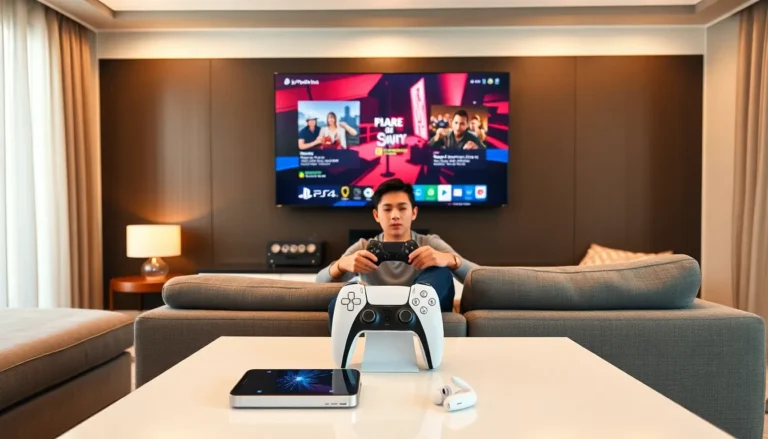
Sitting at the right distance from the screen prevents eye strain and improves reaction time. Generally, players should sit 2-3 feet from monitors or 6-8 feet from larger TVs.
Room lighting affects visibility. Reducing glare on the screen and avoiding complete darkness (which causes eye fatigue) creates better conditions for extended sessions.
Building Skills Through Practice and Community Resources
Natural talent only goes so far. Deliberate practice and community engagement accelerate improvement faster than grinding alone.
Structured Practice
Random play teaches bad habits. Focused practice on specific skills, whether aiming, movement, or decision-making, produces faster results. Players should identify one weakness and drill it until improvement shows.
Many games include training modes that track performance metrics. Using these tools provides objective feedback rather than vague feelings about progress.
Community Engagement
Reddit communities, Discord servers, and YouTube channels offer free coaching content. Watching high-level players reveals techniques that aren’t obvious during personal play. The PlayStation strategies used by professionals often differ dramatically from casual approaches.
Finding practice partners at similar skill levels creates healthy competition. Trading tips and reviewing each other’s gameplay accelerates learning for everyone involved.
VOD Review
Recording gameplay through the PS5’s built-in capture feature enables self-analysis. Watching replays with a critical eye exposes mistakes that feel invisible during live play.
Players should ask specific questions while reviewing: “Why did I die there?” “What could I have done differently?” “Did I miss any opportunities?” This active analysis beats passive watching.
Rest and Recovery
Skill development requires rest. Playing through fatigue leads to frustration and reinforces bad habits. Taking breaks every hour and stopping before exhaustion sets in preserves progress and prevents burnout.