
Nintendo 64 tips can transform how players experience one of gaming’s most beloved consoles. The N64 launched in 1996 and introduced millions to 3D gaming through classics like Super Mario 64, The Legend of Zelda: Ocarina of Time, and GoldenEye 007. Nearly three decades later, enthusiasts still fire up their consoles to relive these iconic titles. But, getting the best performance from aging hardware requires some know-how. This guide covers practical Nintendo 64 tips, from optimizing picture quality to mastering that unique three-pronged controller. Whether someone just picked up an N64 at a garage sale or has owned one since childhood, these tricks will help them get more from every gaming session.
Table of Contents
ToggleKey Takeaways
- Upgrade your video connection with S-Video cables, RGB mods, or HDMI adapters like RetroTINK for sharper N64 visuals on modern TVs.
- Hold the center and right prongs for most games, and protect your analog stick from wear by avoiding aggressive movements.
- Install an Expansion Pak to unlock enhanced graphics, additional modes, and access to games like Majora’s Mask and Perfect Dark.
- Clean cartridge contacts with 90%+ isopropyl alcohol—never blow into cartridges, as moisture causes corrosion.
- Explore hidden cheats, unlockable characters, and secret modes to maximize replay value in classic N64 titles.
- Store your console in a cool, dry place with dust covers to preserve your hardware for years of gaming.
Getting the Best Picture and Audio Quality
The original N64 outputs video through composite cables, which produce a fuzzy image on modern televisions. Players can dramatically improve their picture quality with a few upgrades.
Upgrade Your Video Connection
S-Video cables offer a noticeable improvement over composite for TVs that support the input. They separate the color and brightness signals, resulting in sharper images. For the best results, players should consider RGB modification or an HDMI adapter like the RetroTINK or RAD2X. These devices convert the N64’s analog signal to digital, reducing input lag while delivering crisp visuals on HDTVs.
Choose the Right Display
Older CRT televisions actually display N64 games as developers intended. The console’s graphics were designed around CRT characteristics, so scanlines and slight blur actually mask jagged edges. If players prefer modern displays, they should look for TVs with a “game mode” setting. This mode reduces input delay, making controls feel more responsive.
Audio Considerations
The N64’s audio output runs through the same AV cable as video. Players using HDMI adapters should verify their device passes audio correctly. Some adapters require separate audio connections. For the authentic experience, connecting the console to a stereo system through RCA cables delivers the full range of the N64’s memorable soundtracks.
These Nintendo 64 tips for picture and audio quality make a real difference, especially for players revisiting favorites like Mario Kart 64 or StarFox 64.
Mastering the N64 Controller
The N64 controller confused many players when it debuted. Its three-pronged design and analog stick were revolutionary, but they take practice to use well.
Understanding the Grip Positions
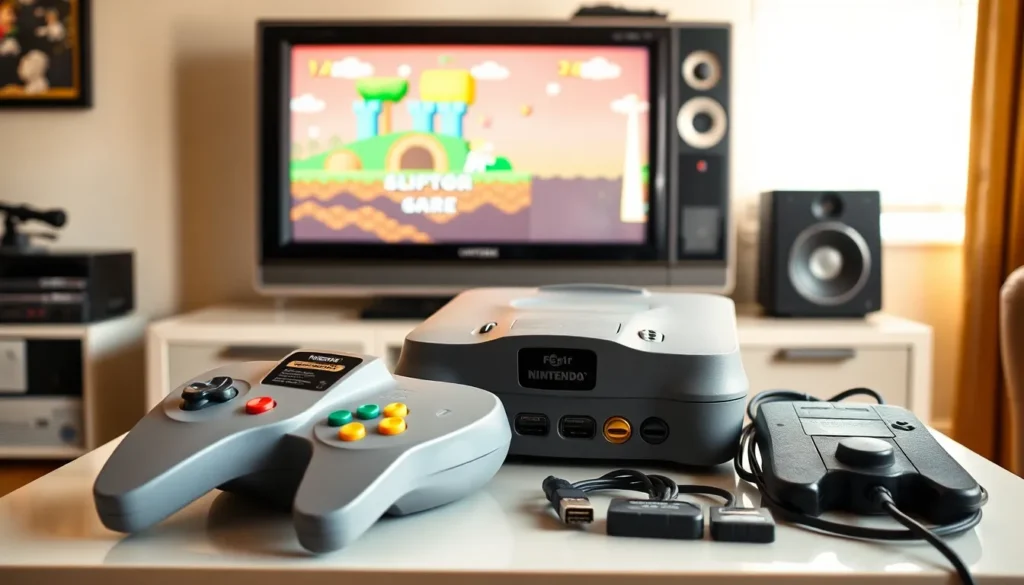
Most games require players to hold the center and right prongs. This position gives access to the analog stick, Z-trigger, and face buttons. Some titles, particularly older or 2D-style games, work better with the left and right prong grip, which provides D-pad access. Players should check game manuals or experiment to find the optimal grip.
Protecting the Analog Stick
The N64’s analog stick wears down over time. The plastic bowl inside the controller degrades with use, causing the stick to become loose and imprecise. Players can extend their controller’s life by avoiding aggressive movements and not leaving pressure on the stick when not playing. Replacement bowls made from more durable materials are available online for worn controllers.
Controller Pak Management
Many N64 games save data to Controller Paks (memory cards) rather than the cartridge. Players should keep their paks organized and avoid removing them while the console runs. Some games allow players to delete old saves directly, freeing up space for new data. It’s smart to own multiple Controller Paks for extensive game libraries.
These Nintendo 64 tips help players get comfortable with the controller’s quirks and keep their hardware working longer.
Unlocking Hidden Features and Secrets
N64 games are packed with secrets, Easter eggs, and hidden features that developers tucked away for curious players to discover.
Cheat Codes and Button Combinations
Many N64 games include cheat codes activated through specific button sequences. GoldenEye 007 famously features unlockable cheats earned by completing levels under certain time limits. Games like Turok and Mortal Kombat Trilogy have traditional input codes. Players can find comprehensive code lists on retro gaming websites and forums.
Hidden Characters and Modes
Some of the best Nintendo 64 tips involve finding content developers hid in plain sight. Super Smash Bros. contains unlockable fighters like Ness and Captain Falcon. Mario Kart 64’s mirror mode becomes available after winning gold on all 150cc cups. Knowing these requirements adds replay value and goals to pursue.
Debug and Developer Secrets
Certain games contain debug menus or developer tools accessible through obscure methods. Perfect Dark includes a cheese wedge hidden in each level. Conker’s Bad Fur Day has several hidden developer messages. Discovering these secrets connects players with the people who built these games.
The Expansion Pak Advantage
The Expansion Pak plugs into the console’s memory slot and doubles available RAM. Some games require it, Donkey Kong 64 and The Legend of Zelda: Majora’s Mask won’t run without one. Others offer enhanced graphics or additional modes when the Pak is installed. Perfect Dark enables its full multiplayer features only with the expansion. This accessory remains essential for anyone serious about their N64 collection.
Maintaining and Troubleshooting Your Console
A nearly 30-year-old console needs regular care to function properly. These Nintendo 64 tips address common problems and preventive maintenance.
Cleaning Cartridges and the Console
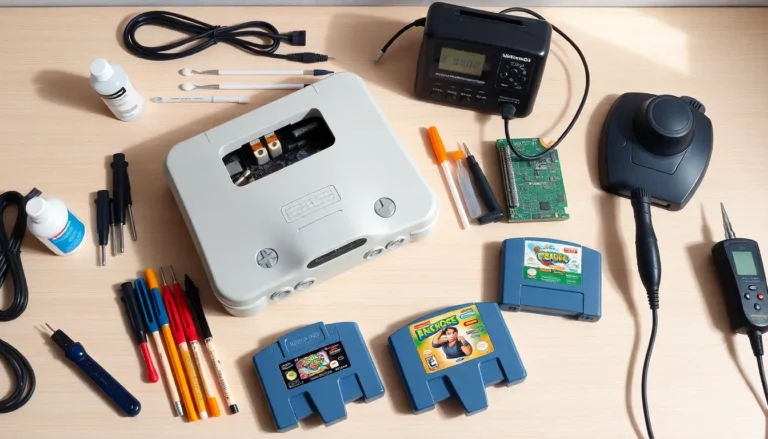
Dirty cartridge contacts cause most N64 problems. Players should clean game pins with isopropyl alcohol (90% or higher) and cotton swabs. The console’s cartridge slot also accumulates dust and debris over time. A cleaning cartridge or careful use of compressed air removes buildup. Players should never blow into cartridges, moisture from breath causes corrosion.
Fixing Common Issues
If games display glitched graphics or freeze, dirty contacts are usually responsible. Persistent problems may indicate worn cartridge connectors inside the console. Replacing the 72-pin connector restores reliable game loading.
Blinking power lights often signal power supply issues. Testing with a known-working power adapter helps isolate the problem. Some consoles benefit from capacitor replacement, though this requires soldering skills.
Storage and Preservation
Players should store their N64 in a cool, dry location away from direct sunlight. Dust covers protect the cartridge slot and controller ports when not in use. Keeping games in their original cases or protective sleeves prevents label damage and dust accumulation.
Proper maintenance keeps the console running for years. These Nintendo 64 tips ensure players can enjoy their collection without frustrating technical problems.