

PlayStation for beginners can feel overwhelming at first. Sony’s gaming ecosystem offers dozens of features, hundreds of games, and multiple console options. New players often struggle to know where to start.
This guide breaks down everything a first-time PlayStation owner needs to know. From choosing the right console to discovering beginner-friendly games, each section provides clear, actionable advice. Whether someone just received a PlayStation as a gift or finally decided to join the gaming world, this article will help them get started with confidence.
Table of Contents
ToggleKey Takeaways
- PlayStation for beginners starts with choosing between the standard PS5 (disc drive) or Digital Edition (saves $100 upfront).
- Create a PlayStation Network (PSN) account during setup to access game saves, online multiplayer, and the PlayStation Store.
- PlayStation Plus Essential ($80/year) unlocks online multiplayer and free monthly games—a solid starting point for new players.
- Start with beginner-friendly games like Astro’s Playroom (free), Spider-Man: Miles Morales, or Stardew Valley to build confidence.
- Save money by checking PlayStation Store sales regularly, where discounts often reach 50-75% off.
- Enable two-factor authentication immediately to protect your account, payment methods, and digital game library.
Choosing the Right PlayStation Console
Sony currently sells two main PlayStation consoles: the PlayStation 5 (PS5) and the PlayStation 5 Digital Edition. Both offer the same gaming performance, but the Digital Edition lacks a disc drive. PlayStation for beginners typically starts with this decision.
The standard PS5 costs more but allows players to buy physical game discs. Physical games can be resold, borrowed from friends, or purchased used at lower prices. The Digital Edition saves money upfront but requires all game purchases through the PlayStation Store.
Budget plays a major role here. Players who want flexibility should choose the standard PS5. Those comfortable with digital-only purchases can save around $100 with the Digital Edition.
Some beginners consider buying a used PlayStation 4 (PS4) instead. The PS4 still runs thousands of games and costs significantly less. But, Sony has shifted its focus to PS5 development. New game releases increasingly skip the PS4 entirely. For long-term value, the PS5 makes more sense in 2025.
Storage capacity matters too. The PS5 comes with an 825GB solid-state drive, but only about 667GB is available for games. Modern games often exceed 50GB each. Players should budget for an additional NVMe SSD expansion down the road.
Setting Up Your PlayStation for the First Time
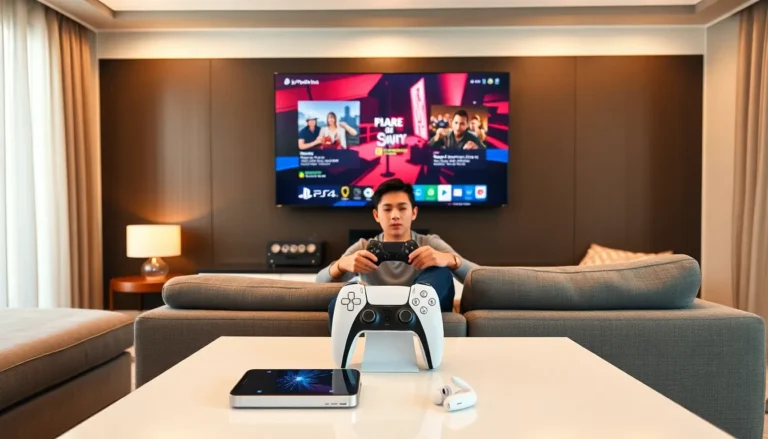
Setting up a PlayStation takes about 20-30 minutes. The process is straightforward, but a few tips can smooth things out.
First, connect the console to a TV or monitor using the included HDMI cable. The PS5 supports 4K resolution and HDR, so a compatible display shows games at their best. A standard 1080p TV works fine too, the console adjusts automatically.
Next, plug in the power cable and turn on the console by pressing the power button. The DualSense controller needs a USB-C cable connection for initial pairing. After that first sync, the controller works wirelessly.
The setup wizard guides users through Wi-Fi connection, date and time settings, and PlayStation Network (PSN) account creation. A PSN account is essential for PlayStation for beginners. It stores game saves, enables online multiplayer, and provides access to the PlayStation Store.
During setup, the console downloads a system software update. This can take 10-15 minutes depending on internet speed. Don’t skip this step, updates fix bugs and add new features.
Finally, the system asks about data sharing preferences and parental controls. Parents setting up a PlayStation for children should explore the Family Management settings. These tools restrict game ratings, limit playtime, and control online interactions.
Essential Features Every New Player Should Know
PlayStation consoles pack in features that many beginners overlook. Knowing these tools improves the gaming experience significantly.
PlayStation Plus is Sony’s subscription service. It offers three tiers: Essential, Extra, and Premium. The Essential tier ($80/year) provides online multiplayer access and free monthly games. Extra adds a catalog of hundreds of downloadable games. Premium includes classic PlayStation titles and game trials. PlayStation for beginners often starts with Essential, then upgrades later.
Rest Mode keeps the console in a low-power state while downloading games and charging controllers. Players can start a large download, put the PS5 in Rest Mode, and return hours later to a ready-to-play game.
The DualSense Controller offers haptic feedback and adaptive triggers. These features make games feel more immersive, raindrops feel different from explosions, and pulling a bowstring creates real resistance. Some games use these features better than others. Astro’s Playroom, which comes pre-installed, showcases the controller’s capabilities perfectly.
Screen Recording and Screenshots happen automatically. Press the Create button on the controller to capture gameplay moments. The console stores recent gameplay footage, so players can save highlights after they happen.
Game Help provides in-game hints for supported titles. Stuck on a puzzle? This feature shows solutions without leaving the game. It requires a PlayStation Plus subscription.
Best Beginner-Friendly Games to Try First
Choosing a first game can feel daunting for PlayStation beginners. Some games assume prior gaming experience. Others welcome newcomers with open arms.
Astro’s Playroom comes free with every PS5. This platformer teaches basic controls while showcasing the DualSense controller. It’s short, charming, and impossible to get stuck on for long.
Spider-Man: Miles Morales offers accessible action with adjustable difficulty. Players swing through New York City, fight villains, and follow an engaging story. The controls feel intuitive, and the game looks stunning.
Ratchet & Clank: Rift Apart combines shooting and platforming in a colorful adventure. The game includes an accessibility mode that makes combat easier for new players.
Stardew Valley provides a relaxing farming simulation. There’s no combat pressure, no time limits on most activities, and no way to fail. Players plant crops, raise animals, and build relationships at their own pace.
LEGO Star Wars: The Skywalker Saga works great for families. The LEGO games feature simple controls, cooperative play, and humor that appeals to all ages.
Gran Turismo 7 suits players interested in racing. The driving school mode teaches racing fundamentals step by step. Assist features help beginners stay on track while learning.
PlayStation for beginners improves dramatically with the right first game. Starting with something too difficult can discourage new players before they find their footing.
Tips for Getting the Most Out of Your PlayStation
A few habits help new PlayStation owners maximize their investment.
Check the PlayStation Store sales regularly. Major sales happen during holidays, and discounts often reach 50-75% off. The “Deals” section updates weekly. Patient players save hundreds of dollars over time.
Use a headset for immersive audio. The PS5’s Tempest 3D AudioTech creates spatial sound that helps players locate enemies and appreciate game soundtracks. Any wired headphones work, just plug them into the controller’s 3.5mm jack.
Manage storage proactively. Delete games after finishing them. The PS5 allows reinstallation anytime, and save data stays in the cloud with PlayStation Plus. This habit prevents the frustration of needing space for a new game.
Explore accessibility options. PlayStation consoles include colorblind modes, text-to-speech, button remapping, and more. These features help players with disabilities, but they also benefit anyone who wants to customize their experience.
Join PlayStation Communities. Online forums, Reddit groups, and Discord servers connect players with shared interests. These communities offer game recommendations, troubleshooting help, and people to play with.
Enable two-factor authentication. This security feature protects the PSN account from hackers. Gaming accounts hold real value, payment methods, digital game libraries, and progress data. A few minutes of setup prevents major headaches later.
PlayStation for beginners becomes PlayStation for enthusiasts through exploration and experimentation. The console rewards curiosity.