

PlayStation techniques separate casual players from skilled gamers. Whether someone plays first-person shooters, action RPGs, or fighting games, the right methods can dramatically improve performance. This guide covers essential controller skills, combat strategies, reaction training, and system customization. Players who apply these PlayStation techniques consistently will notice faster progress and better results in competitive and single-player games alike.
Mastering a controller takes practice, but it also requires understanding what works. The difference between a good player and a great one often comes down to small adjustments, grip changes, sensitivity tweaks, or timing improvements. Let’s break down the PlayStation techniques that matter most.
Table of Contents
ToggleKey Takeaways
- Mastering PlayStation techniques like claw grip and proper thumb placement dramatically improves controller precision and reaction speed.
- Learning enemy attack patterns and managing stamina are essential combat strategies that separate skilled players from casual ones.
- Daily 10-15 minute aim training sessions build muscle memory faster when focusing on smooth, accurate movements rather than speed.
- Reduce input lag by enabling TV Game Mode, using wired controller connections, and upgrading to 120Hz monitors for competitive play.
- Customize controller sensitivity in 10% increments and adjust dead zones based on your controller’s condition for optimal responsiveness.
- Enable 3D audio and lower music volume relative to sound effects to gain a competitive advantage through better spatial awareness.
Essential Controller Handling Techniques
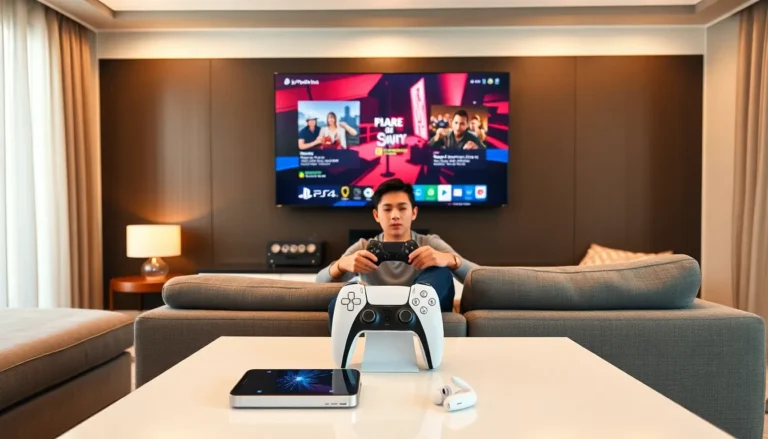
The DualSense controller offers multiple grip styles, and choosing the right one affects gameplay significantly. The standard grip works for most genres, but competitive players often use claw grip or paddle attachments for faster input access.
Standard vs. Claw Grip
Standard grip places thumbs on both sticks with index fingers on L1/R1 and L2/R2. This feels natural and works well for story-driven games. Claw grip repositions the right index finger over the face buttons (Triangle, Circle, X, Square) while the thumb stays on the right stick. This allows simultaneous aiming and button presses, critical in shooters and action games.
Claw grip takes time to learn. Start with 15-minute practice sessions to avoid hand strain. Many players find it uncomfortable at first but adapt within two weeks.
Thumb Placement and Pressure
Proper thumb placement on analog sticks improves precision. The thumb pad, not the tip, should rest on the stick’s center. This provides better control during small adjustments. Apply consistent, light pressure rather than jerky movements. Heavy pressure causes overshooting, especially during aiming.
Thumb grips or stick extenders can help. These accessories increase the stick’s height, giving players a wider range of motion for the same physical movement. Many esports professionals use them for this reason.
Trigger Control
The DualSense’s adaptive triggers offer variable resistance. In supported games, this adds immersion but can slow input speed. Players can disable adaptive triggers in system settings for faster response. For games requiring rapid fire, practice a quick tapping motion using the finger’s first joint rather than the whole finger.
Combat and Action Game Strategies
Combat in PlayStation games demands pattern recognition, timing, and resource management. These PlayStation techniques apply across genres, from Souls-like titles to character action games.
Learn Enemy Patterns First
Every enemy has tells, animations that signal incoming attacks. Spend the first encounter with a new enemy type watching rather than attacking. Identify wind-up animations, attack ranges, and recovery windows. This information matters more than raw damage output.
In boss fights, survival beats aggression. Players who rush attacks often miss dodge windows. Wait for the boss to finish a combo, then punish during recovery frames.
Stamina and Resource Management
Many action games use stamina systems. Never fully deplete stamina. Keep at least 20% in reserve for emergency dodges or blocks. This buffer prevents situations where players can’t escape incoming damage.
The same applies to healing items. Don’t wait until health is critical. Heal at 50-60% health when the situation allows. Waiting too long means one hit can end a run before healing becomes possible.
Camera Control During Combat
Poor camera positioning causes more deaths than difficult enemies. Keep the camera centered on the primary threat. In multi-enemy encounters, position so most enemies stay visible. Backing against walls limits camera movement and creates blind spots.
Lock-on systems help in one-on-one fights but can cause problems against groups. Practice toggling lock-on mid-combat to switch targets or disengage when repositioning becomes necessary.
Improving Reaction Time and Precision
Reaction time and precision separate average players from top performers. Both skills respond well to deliberate practice. These PlayStation techniques focus on measurable improvement.
Warm-Up Routines
Cold hands and unfocused minds perform poorly. Before competitive sessions, spend 5-10 minutes in training modes or low-stakes matches. This warms up hand muscles and activates the mental focus needed for peak performance.
Online reaction time tests can benchmark current ability. Average human reaction time sits around 250 milliseconds. Competitive gamers often achieve 180-200 milliseconds with practice.
Aim Training Methods
Many shooters include aim training modes. Use them daily for 10-15 minutes. Focus on smoothness rather than speed initially. Jerky movements indicate overcorrection. Slow, accurate tracking builds muscle memory faster than fast, inaccurate flicking.
Start with large targets and gradually reduce size. Once accuracy exceeds 80% at a given difficulty, increase the challenge. This progressive approach prevents frustration while ensuring continuous improvement.
Reducing Input Lag
Hardware matters for reaction-dependent gameplay. Use Game Mode on TVs to reduce display lag. Wired controller connections eliminate Bluetooth latency, about 4-8 milliseconds per input. In fast-paced games, these small delays compound.
Monitors with 120Hz refresh rates paired with PlayStation 5’s 120fps output provide the smoothest experience. Players transitioning from 60Hz often notice immediate improvement in tracking and timing.
Advanced Settings and Customization Tips
PlayStation system settings and in-game options offer significant performance gains. Many players never explore these menus, missing easy improvements.
Controller Sensitivity Optimization
Default sensitivity settings rarely suit individual players. Lower sensitivity provides precision for sniping and long-range combat. Higher sensitivity enables faster turns for close-quarters fights.
Find the right balance through testing. Start at default, then adjust by 10% increments. The ideal sensitivity allows comfortable 180-degree turns without losing accuracy on small targets.
Many games separate horizontal and vertical sensitivity. Vertical sensitivity usually benefits from slightly lower values since most targets move horizontally.
Dead Zone Adjustments
Dead zones determine how much stick movement registers before input occurs. Smaller dead zones mean faster response but can cause stick drift on worn controllers. Larger dead zones prevent accidental inputs but feel sluggish.
New controllers handle 0-5% dead zones well. Older controllers may need 10-15% to avoid drift issues. Adjust based on controller condition.
Audio Settings for Competitive Play
Sound provides critical information in many games. Enemy footsteps, ability cues, and environmental sounds all aid awareness. Enable 3D audio in PlayStation settings for spatial accuracy. Quality headphones outperform TV speakers significantly.
Reduce music volume relative to sound effects in competitive games. Music can mask important audio cues. Some players disable it entirely during ranked matches.
Button Remapping
PlayStation allows custom button layouts through accessibility settings. Players can remap any button to any other button. This proves useful for accessibility needs or personal preference.
Common remaps include swapping X and R3 for easier sliding in shooters, or moving dodge to a bumper in action games. Experiment to find layouts that reduce finger travel during critical actions.